

Use the SoMark Document Parser tool in a workflow
Add the SoMark Document Parser node
In the FastGPT application workflow, add the SoMark Document Parser node.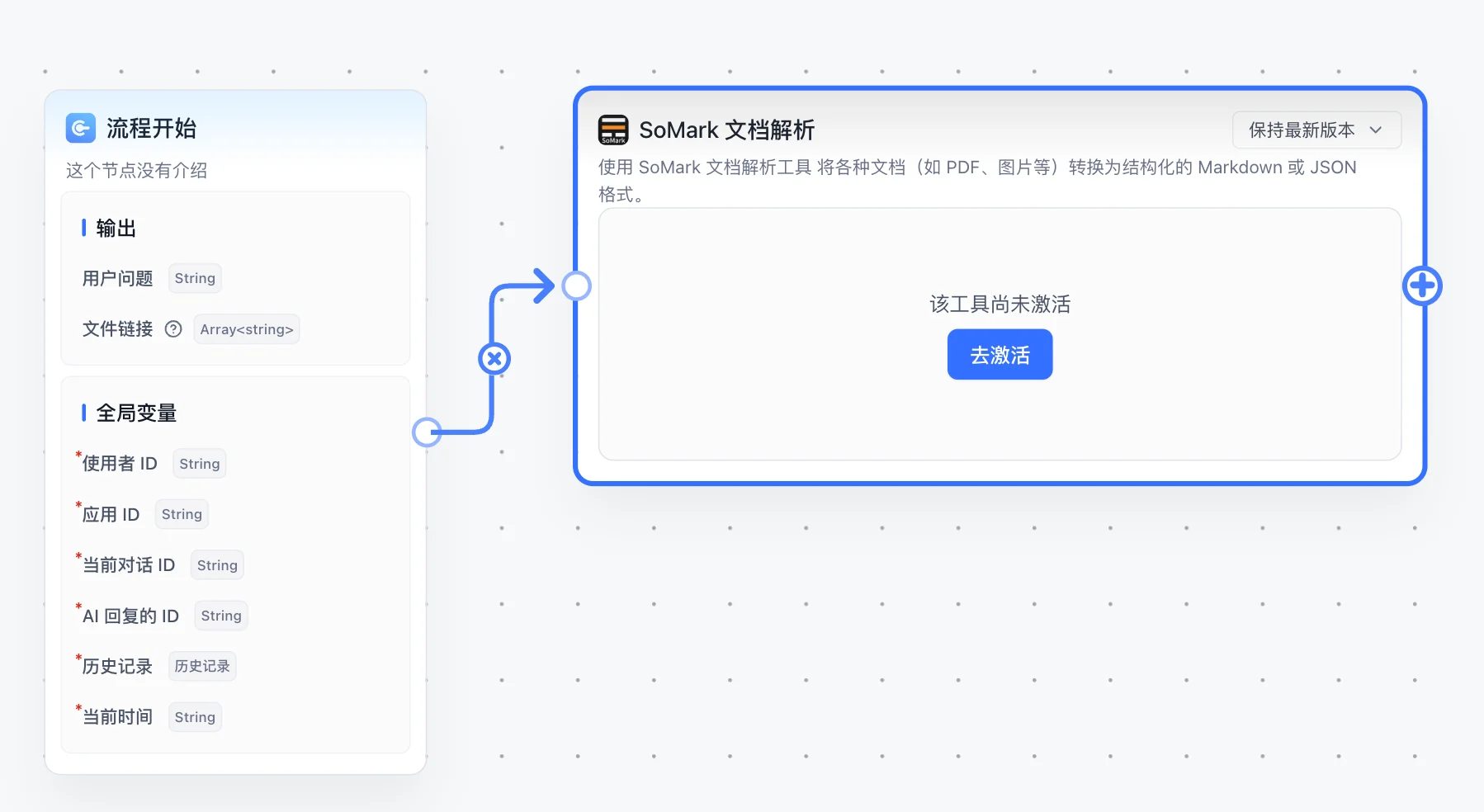
Activate the SoMark Document Parser tool
Click Activate and fill in the secret configuration: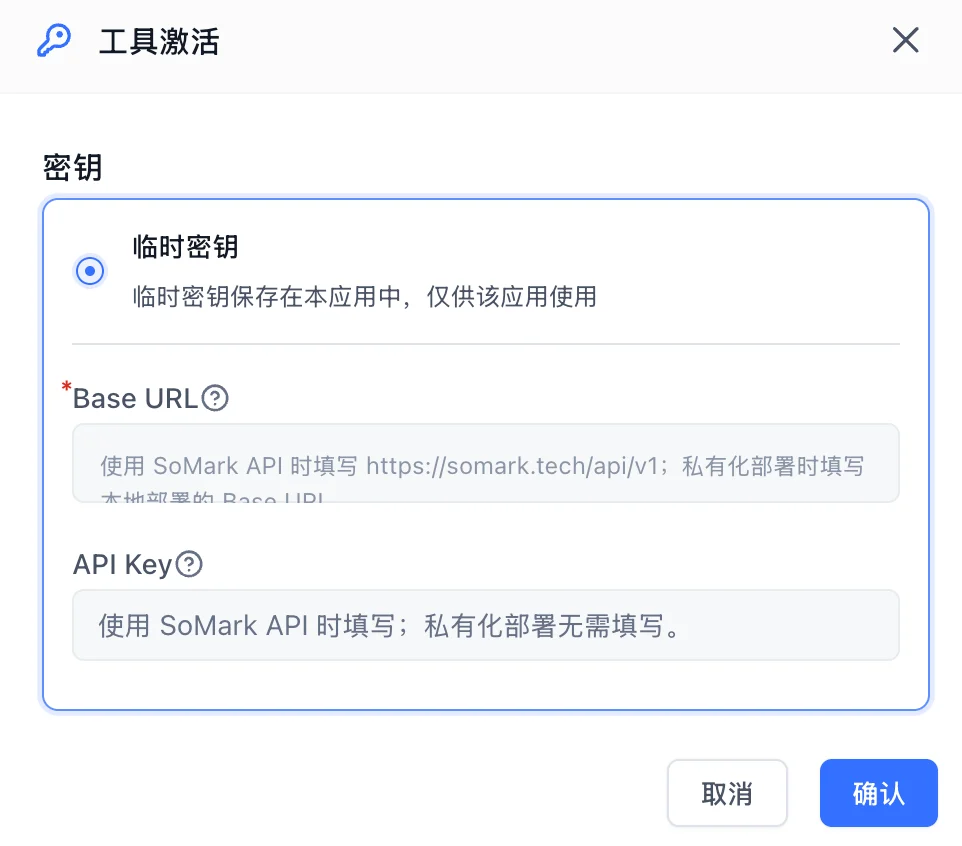
- Base URL: For SoMark API, use
https://somark.ai/api/v1; for self-hosted deployment, enter the Base URL of your local deployment. - API Key: Required for SoMark API; not required for self-hosted deployment.
No API key yet? Go to the SoMark API workbench to get your API key. Free quota does not need to be claimed and is automatically credited to your account (500 pages/day, 2000 pages/month).
Build a minimal demo
Connect a file input node to the File parameter of SoMark Document Parser, then pass the parsed results to a downstream node. The plugin can parse multiple files at a time and works for uploaded PDFs, images, Word, PPT, or Excel files.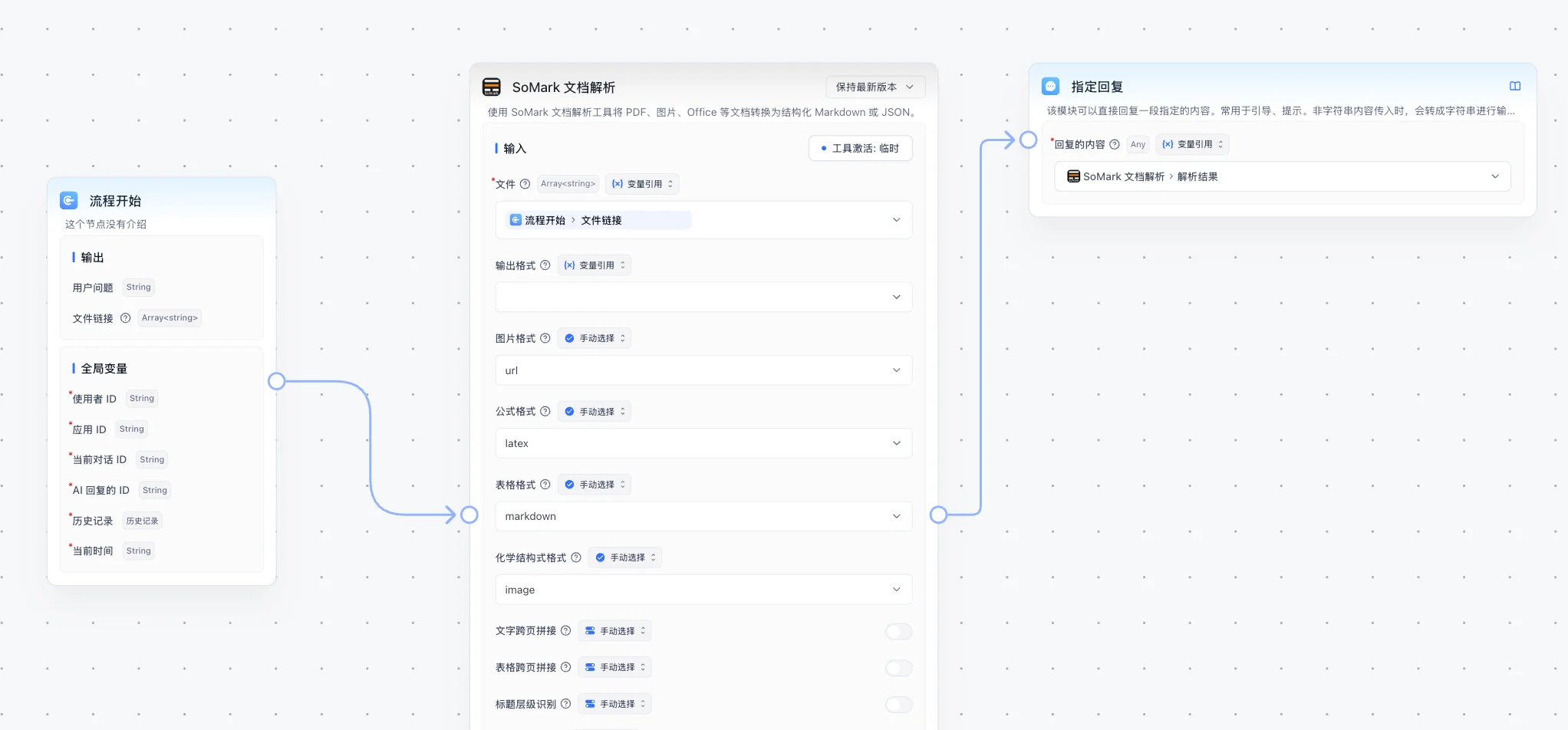
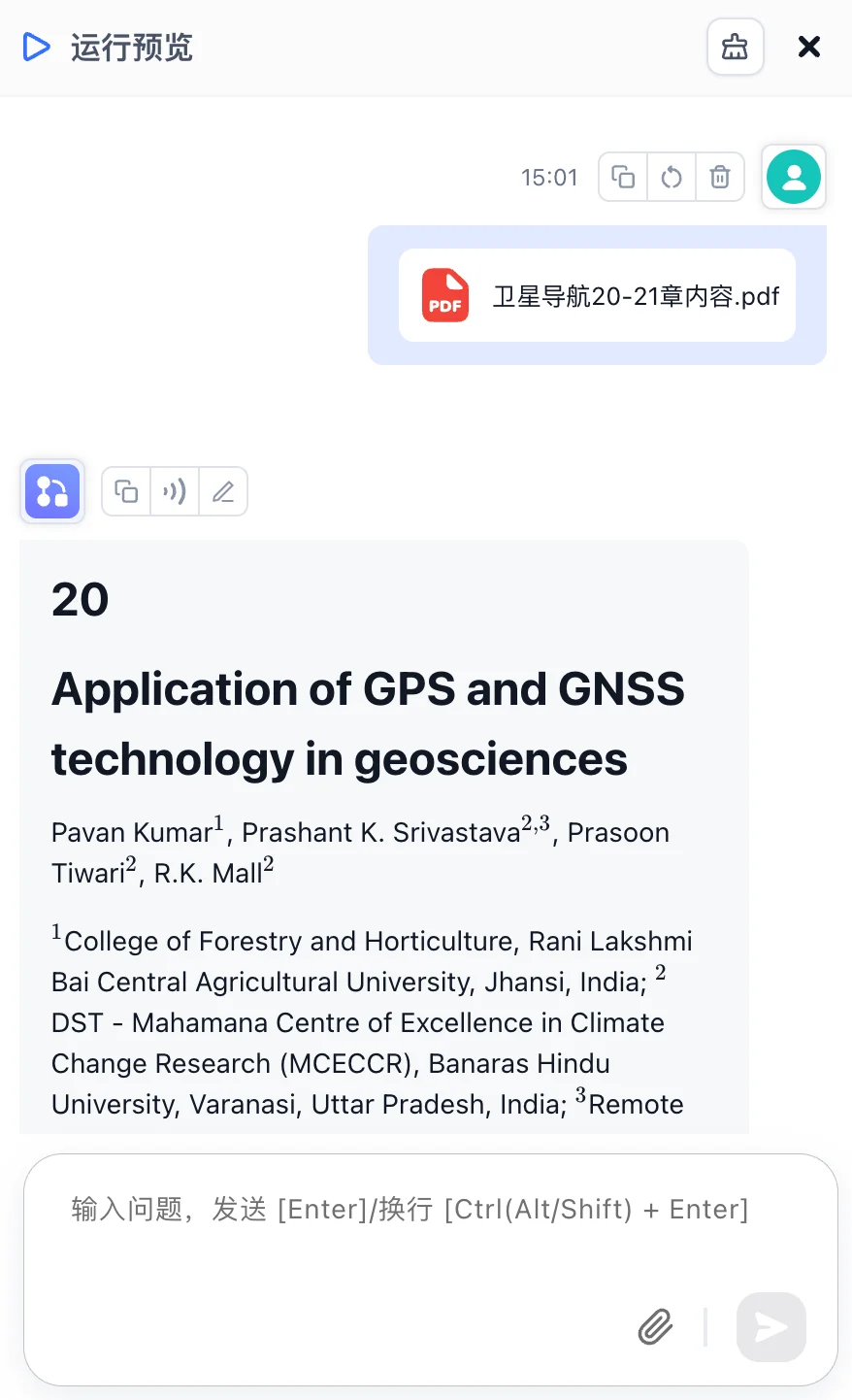
markdown, json, and error fields, and downstream nodes can reference them as needed.Parameters and outputs
Input parameters
| Parameter | Type | Required | Default | Description |
|---|---|---|---|---|
| File | File selector | ✅ | None | Files to parse. You can select multiple files at a time. Supports PDFs, images, Word, PPT, and Excel files. |
| Output formats | Multi-select | - | JSON, Markdown | Return JSON, Markdown, or both. |
| Image format | Single select | - | URL | Image element format. Supports URL, Base64, and None. |
| Formula format | Single select | - | LaTeX | Formula element format. Supports LaTeX, MathML, and ASCII. |
| Table format | Single select | - | HTML | Table element format. Supports HTML, Markdown, and Image. |
| Chemical structure format | Single select | - | Image | Chemical structure element format. Currently only supports Image. |
| Text cross-page merging | Switch | - | Off | Merge text blocks that span pages into continuous paragraphs. |
| Table cross-page merging | Switch | - | Off | Merge tables that span pages into complete tables. |
| Title level recognition | Switch | - | Off | Recognize heading levels such as H1, H2, and H3. |
| Inline images | Switch | - | Off | Return images embedded in text paragraphs. |
| Table images | Switch | - | On | Return images embedded in table cells. |
| Image understanding | Switch | - | On | Generate semantic and structured descriptions for images in the document. |
| Keep headers and footers | Switch | - | Off | Keep page headers and footers when enabled. |
Output variables
| Variable | Type | Description |
|---|---|---|
| Parsed results | array | Each input file maps to one result and results are returned in input order. Each item includes markdown, json, and error fields. |
Result fields
| Field | Type | Description |
|---|---|---|
markdown | string | Full parsed content in Markdown format. Empty string if Markdown output is not selected or parsing fails. |
json | object | Parsed result in JSON format. Empty object if JSON output is not selected or parsing fails. |
error | string | Error message for the current file. Empty string when parsing succeeds. |
Notes
- FastGPT passes selected files as download URLs. The plugin downloads the file first, then sends it to the SoMark parsing service.
- If the file URL contains a
filenamequery parameter, the plugin uses it first to avoid losing suffixes such as.pdfand.docxfrom temporary download URLs.